
Universal binary for Apple Silicon Macs. One of a kind, no subscriptions, no hassle.
Download Version 8.7.1. Read the full release notes.

What's Awesome About Acorn 8
New! Object RemovalUse the new Synth Fill brush to wipe away unwanted objects from your images. Is there an unwanted car, cloud, or person in your image? It’s as easy as selecting the new tool and brushing it away with the wave of your mouse. |
New! Healing BrushKind of like a clone tool on steroids, the Healing Brush allows you to brush away blemishes from your pictures. It works by looking at the patterns of the surrounding pixels and blending them in seamlessly. |
New! Brush ImprovementsAcorn’s brush tool has been rewritten from the ground up for silky smooth brushing, velocity thinning, and other fun new tricks. The brush designer has also been updated; change the brush parameters and watch as your last brush stroke is updated in realtime. |
New! Subject SelectionSimplify your editing workflow with ML-powered subject selection that pinpoints and isolates subjects in your images with incredible accuracy. Powered by advanced machine learning, this feature saves time by eliminating the need for tedious manual selection. Perfect for creating stunning edits, composites, or background adjustments in just a few clicks. |
New! Live Text ToolInstantly detect and interact with text in your images using our Live Text Tool. Highlight and copy text directly to your clipboard for seamless use in documents, emails, or designs. Perfect for extracting information from photos, scans, or screenshots with ease and precision. |
New! Data Driven GraphicsAutomate personalized designs with our powerful Data Merge feature. Simply import a CSV file to populate text boxes and images across your project, perfect for creating bulk graphics, name tags, or dynamic layouts. Streamline your workflow and produce customized visuals in minutes, no manual input required. |
New! On Canvas RulerMeasure and align with precision using our intuitive on-canvas ruler. Seamlessly switch between pixels, inches, or centimeters to fit your project needs, and easily straighten your images for a flawless finish. Perfect for designers and photographers seeking accurate layouts and balanced compositions. |
New! JPEG-XL SupportExperience the next generation of image compression with full JPEG-XL import and export capabilities. Preserve stunning image quality while reducing file sizes, perfect for efficient storage and seamless web performance. Enjoy faster workflows and broader compatibility with this cutting-edge format. |
New! Look up Tables (LUT)Enhance your photos and videos instantly with LUTs, a powerful tool for color grading and visual styling. Select from or download a variety of pre-designed LUTs to achieve cinematic tones, vibrant colors, or custom looks with a single click. Perfect for creators seeking professional-quality results, LUTs make color adjustments fast, consistent, and easy to apply. |
Super Resolution ML Image ResizingUpgrade image quality effortlessly with our ML-powered Super Resolution feature. Using advanced machine learning, this tool enlarges your images while preserving sharp details and enhancing clarity, perfect for prints, presentations, or digital displays. Transform low-resolution images into high-quality visuals without losing the original charm. |
Improved! Über ExportExport your images in popular formats like PNG, JPEG, and GIF with our powerful export tool, complete with real-time preview as you adjust size, quality, and compression settings. Save your favorite export configurations as custom presets to streamline your workflow and maintain consistent output across all your projects. Whether you're preparing images for the web, creating animated GIFs, or saving high-quality prints, get exactly what you need with just a few clicks. |
Improved! Apple Shortcuts SupportSeamlessly integrate your editing workflow with Apple's Shortcuts for ultimate efficiency. Automate tasks like applying filters, cropping, resizing, rotating, auto-enhancing, and even adding watermarks or replacing text. With robust support for Shortcuts, you can transform and optimize images in just a few clicks. |
Unified WindowsAcorn sports a single unified window with a matching toolbar. Gone are the multiple floating palettes getting in your way. Acorn also adopts many new macOS Big Sur conventions to make it look and feel like it belongs on a Mac. If you prefer inspectors in their own windows, there is a preference to enable that. |
Layered ScreenshotsAcorn's layered screenshot have always been powerful, but now with AppleScript support and timed captures, you can make the exact image you're after. |
Improved! Animated GIF and PNG ExportSave all the layers in your image as an animated GIF or PNG via the Export window. Open up existing animated images, change a single frame or apply filters to a range of frames. Export your image with the original frames per second or speed up or slow it down. |
Perspective Fix & Crop toolA frequent feature request — this cool little tool will draw a grid on the canvas to easily help fix images where there are problematic perspective distortions. |
Super Accurate Color PickerAdjust colors in either RGB or HSV without switching modes. Built from the ground up to make color management and color accuracy in your images a breeze. |
The Command BarUse the File ▸ Command Bar menu item (shortcut key ⌘⇧O) to bring up a little text window. Type to find menu commands or other hidden commands, or use to quickly search Acorn's help documentation. |
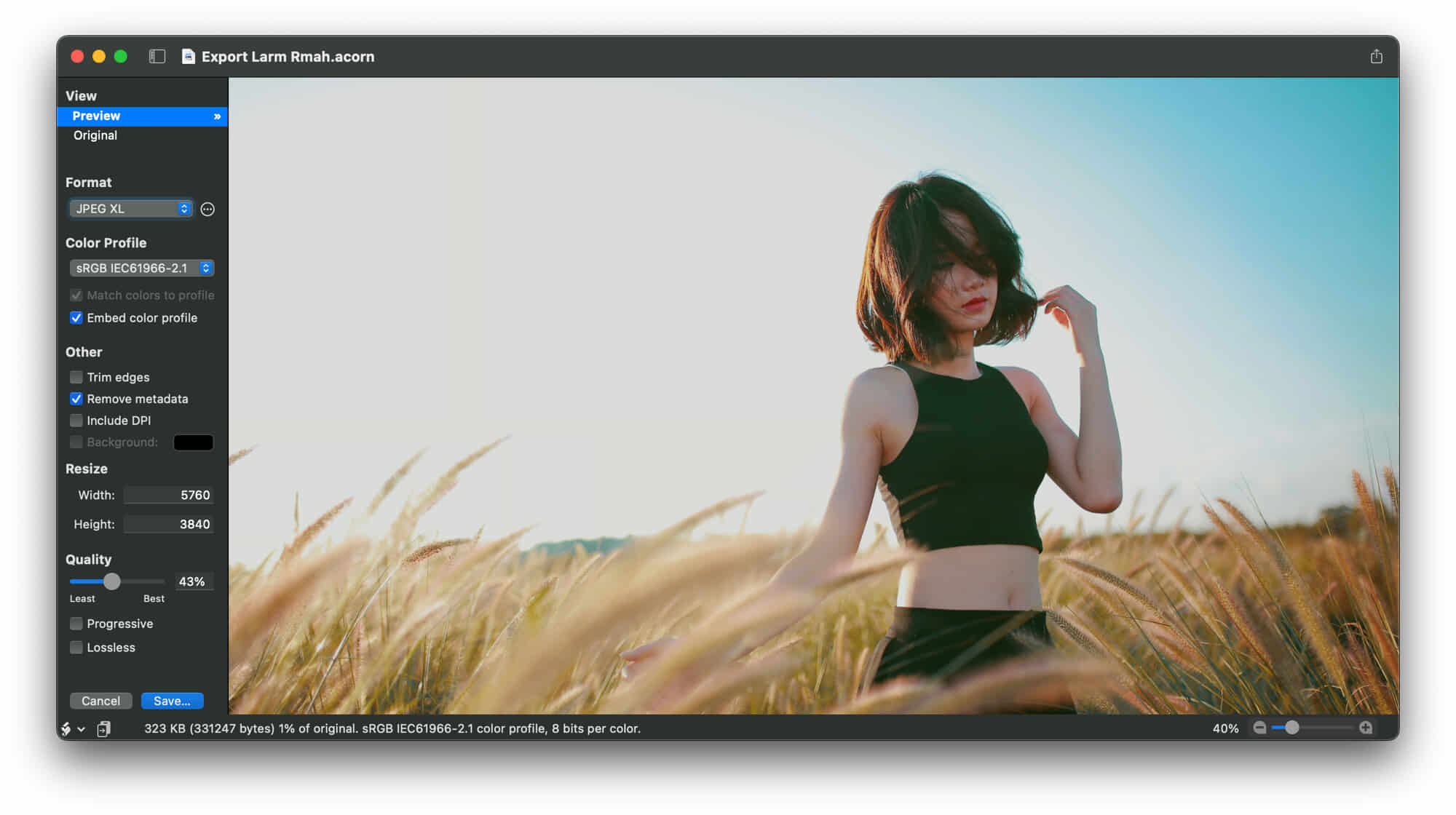
Export your images from Acorn as JPEG, JPEG-XL, JPEG2K, GIF (+animated), PNG (+animated), Indexed PNG, HEIC, TIFF, WebP, BMP, PSD (with layers or not!), PDF, SVG, and more. Change color profiles, trim, and resize on the fly. Live updates of the new file size, and compare it against your original image.
What's Been Around for a While, and Still Awesome:
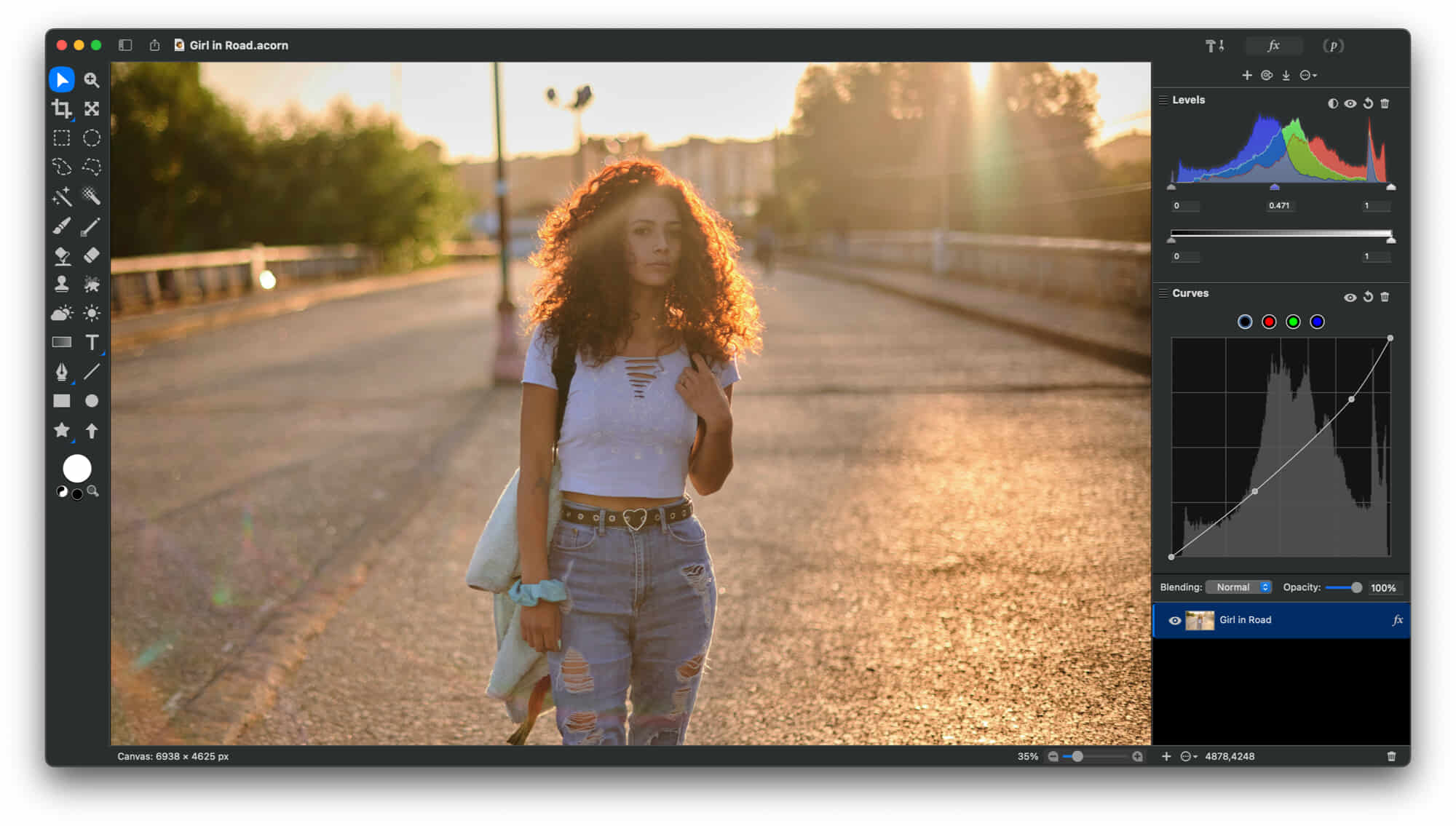
Powerful Image EditingUse non-destructive curves, levels, and filters. The GPU power of Metal 2. Add layer masks and selections to touch up your images or make something entirely new. Remove backgrounds, combine images, perform color correction, resize, transform, crop, and much much more. |
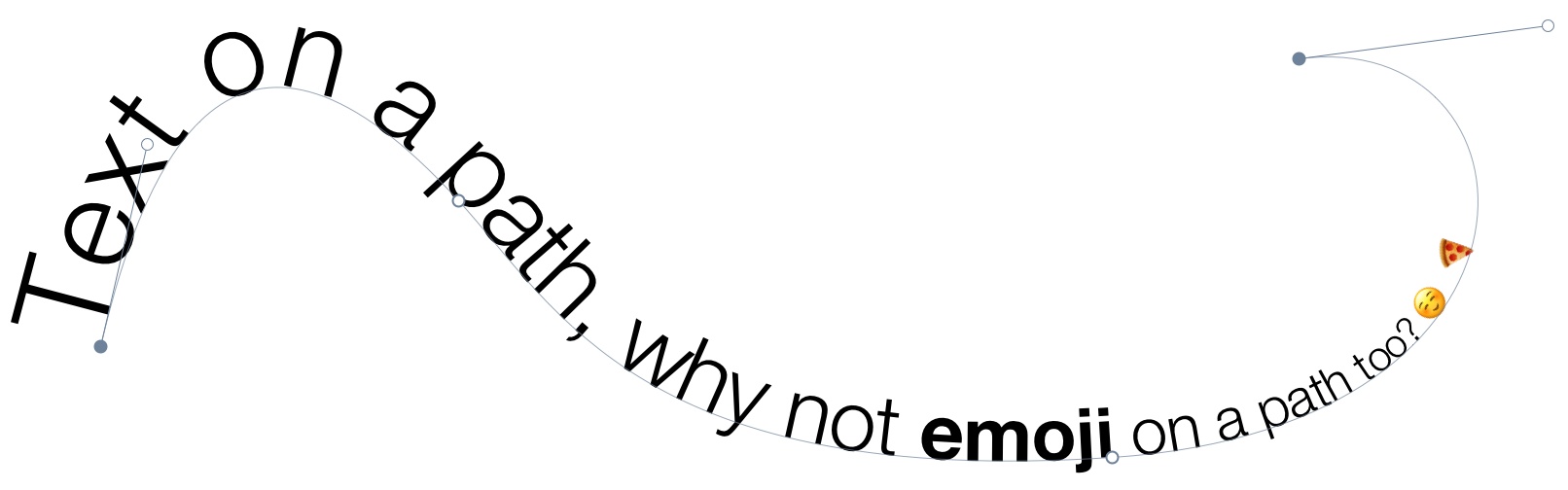
Text on a PathAcorn includes a Path Text Tool, so you can wrap and warp text anywhere you'd like. Just create a shape or path, and add your text! And since Acorn's text is always Unicode aware, you can even have Emoji on a path. |
Non-Destructive FiltersCombine filters together to create endless combinations of unique effects knowing you can always change your mind later on. Customize your own presets and use the on-canvas controls to place your filters exactly where you need them. |
Circle Text ToolQuickly and easily place your text on a circle to create logos and other useful text designs. Modify your text with on-canvas controls for circle radius, rotation, and inversion. Use the baseline and kerning sliders to fine tune your text. |
Photo EffectsTilt shift, vignette, drop shadow, gradients, sharpening, color correction, distortions, blurs and over a hundred more. With Acorn’s filter panel, adding effects to your images has never been so easy. Effects can be seen in real time, so you can get your adjustments just right. |
Vector ToolsStars, arrows, Bézier curves, boolean operations, and text tools including circle text and path text are just a few of the vector features awaiting you. Modify stroke alignment, line join style, and shape blending all from within the inspector palette. |
Web Export GoodnessZoom, pan, and use shortcuts to change the scale of your image. Keep or remove image metadata, and find pixels that are out of range of sRGB. Preview your changes prior to exporting and compare to the original. Observe file size adjustments in real time! |
Clone Across Images, Layers, and MoreAcorn’s clone tool upgrades include the ability to clone across different images, layers, and to even clone from group or shape layers. Easily modify the brush softness and flow in the inspector palette. Hold down the shift key each time you click, and Acorn will treat the clone tool as a stamp tool. |
Smart Layer ExportSmart Layer Export is similar to slicing. Check out the configurable palette to setup a layer's Smart Layer Export settings. Adjust the movable frame that represents the export bounds of your image, name your file, and you can even choose to have your layer automatically export as @1x, @2x, @3x-@5x. sizes. |
What Else?
|
|
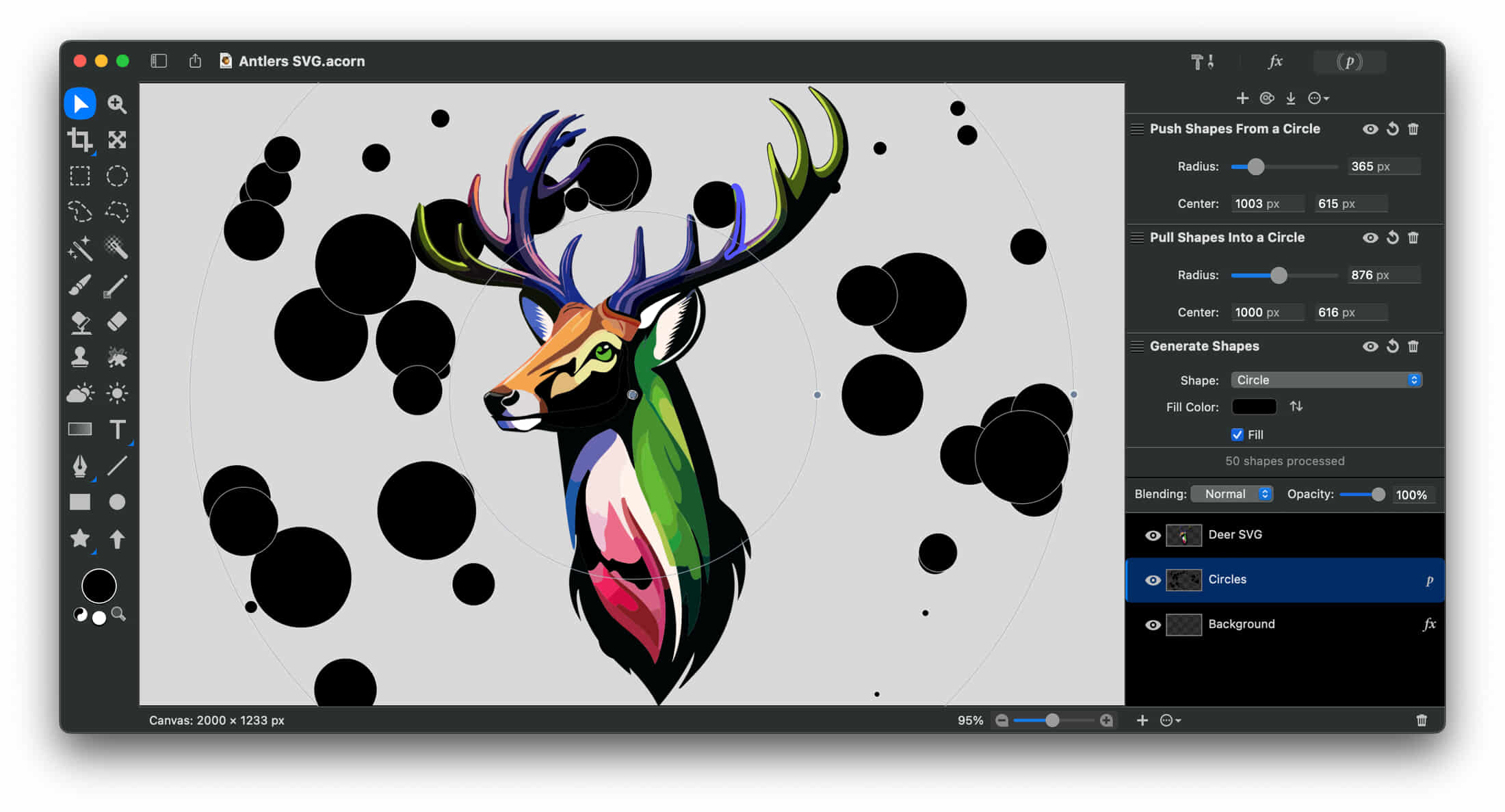
Acorn has a special type of layer which handles vector objects such as rects, ovals, lines, arrows, bezier curves and text. Can make a resolution independent image within Acorn, and switch between pixel perfect previews and pure vector.
Layer MasksUse layer masks in your image to block out unwanted areas of your image or to expose layers below. Additionally Acorn’s Mask blend mode allows you to use your layer to clip layers underneath. Use a layer mask to easily lock layer transparency. |
Crop Tool EnhancementsTrim out parts of your image or layer and even rotate your image while you crop to make the perfect scene. Use the crop tool to quickly increase the size of your canvas. Lock the pixel dimensions to resize your image while cropping. |
Transform, Rotate, and Resize LayersCombine images together, then easily adjust the rotation, scale, and placement. Keep your layer’s width and height proportions intact or adjust independently. Use Acorn’s on-canvas controls to line everything up perfectly. |
Soft Brushes for Clone, Burn, EtcThe Clone, Paint, Smudge, Dodge, Burn, Stamp, and other tools that work on pixels have their own super configurable brushes with Acorn’s awesome brush designer. Adjust flow, softness, scatter, jitter, rotation…the options are endless. |
Curves & LevelsAdjust the tonal response and even the individual color channels to perfect the mid-tones, shadows, highlights, & contrast in your images nondestructively. Create presets to quickly make the adjustments you need. |
Raw Image ImportYou have a nice camera, but you also need a nice app to import your high resolution images. Acorn is that app. And if your SLR supports more than 8 bits per component, Acorn has you covered as well. Import your images as 32, 64, or even 128 bit images. |
Custom Color PickerAcorn’s custom color picker includes a loupe that displays both RGBA and hexadecimal values. Quickly zoom in and out within the loupe to select an exact pixel color. |
Snapping & AlignmentUse Acorn’s snapping to line things up perfectly. Snap to grid, guides, selections, shapes, layers, and the canvas. Multiple alignment options are available for both bitmap layers and shapes. |
Batch EditAutomator can be used with Acorn to batch process images including watermarking, scaling, trimming, exporting, cropping, and more. |
Shape ProcessorShape processors are filters for shape layers which allow you to move, tweak, generate, and adjust shapes. Best of all, the shape processors are non-destructible and stackable just like Acorn’s filters. |
Robust File SupportThe .acorn file format is Acorn’s native file type, but Acorn can open and import JPEG, JPEG 2000, JPEG-XL, PNG, HEIF, WebP, GIF, BMP, TIFF, PSD, PDF, ICO, Adobe Illustrator (with PDF compatibility), RAW, PICT, SVG, and TGA. And with PDFs you can set your resolution immediately upon opening. |
Photoshop Brush ImportAcorn can import Photoshop brush files (.abr). Just drag and drop the Photoshop brush file onto Acorn’s icon in the dock to import and make new brushes. |
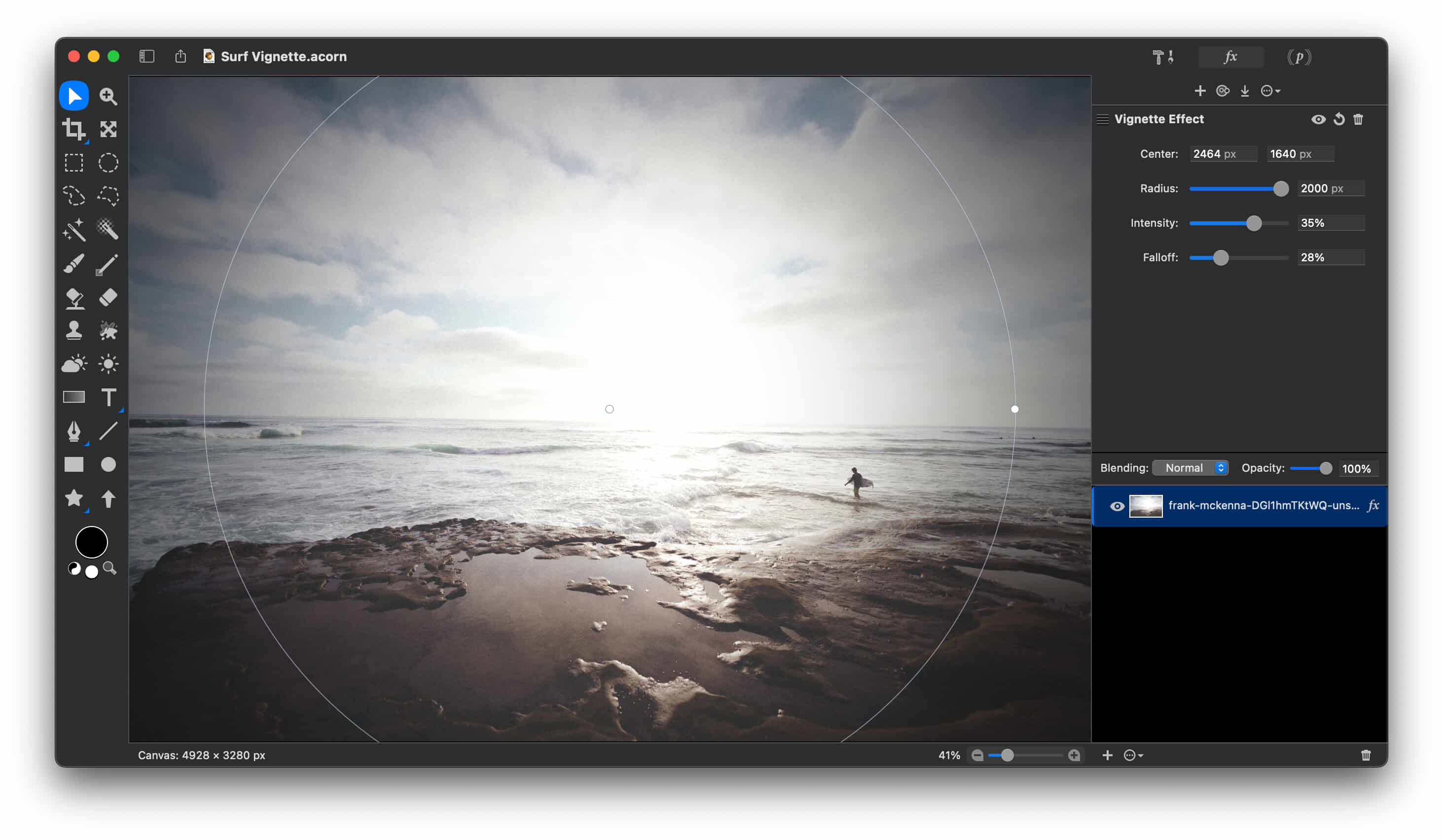
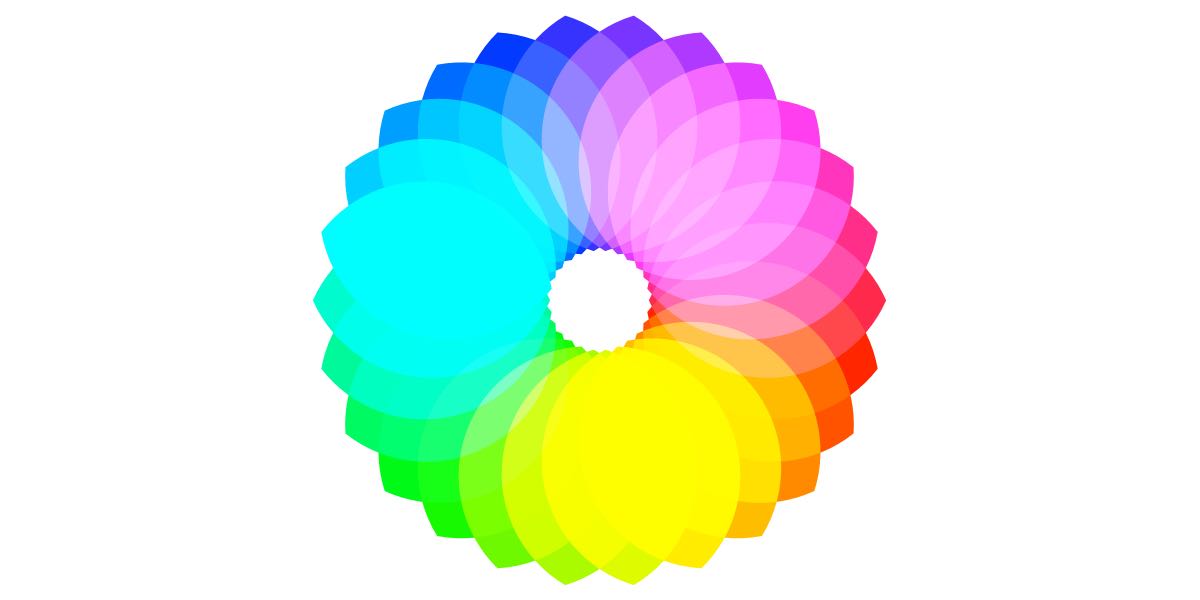
Boolean Shape OperationsUnion, intersect, difference, exclude, and divide. Perform boolean operations with multiple shapes to make complex vectors in your images. |
Shape ToolsStars, arrows, and a Bézier anchor selection tool await you. Modify the points of a star to create triangles, diamonds, and other variations! Rotate your text and shapes upside down & every which way. |
Clone, Stamp, Dodge, Burn, & SmudgeUse traditional photography techniques such as dodge and burn to highlight and darken your images. Acorn’s customizable clone, blur, and smudge brushes will have your photos looking great. |
Retina CanvasAcorn has native support for Apple’s Retina displays. Your pictures will look absolutely stunning on your Retina MacBook Pro. |
Text ToolAcorn gives you control over your text in an easy-to-use interface. Everything is in the text palette from bold and italic to kerning and ligatures. There’s even spell check. |
New ViewWatch your edits at 100% zoom in the New View window, while performing your edits at any zoom percentage. No need to switch back and forth in Acorn. |
Instant AlphaPowerful eraser tools like Instant Alpha make removing photo backgrounds and other unwanted pixels from your images both fast and fun. |
Multi-Stop Live GradientsAre two color gradients not enough for you? With Acorn’s multi-stop gradients, you have infinite rainbows at your fingertips. Save your gradients to use anytime. |
Create Custom BrushesUse Acorn’s built-in brush designer to create new brushes or alter existing ones. Test your strokes out and watch them instantly update as you change the settings. |
Scriptable and AutomatableAutomate Acorn and perform batch image editing using Automator, AppleScript, and JavaScript. You can even write custom plugins for Acorn. |
ScreenshotsAcorn can create layered screenshots of every window you have open on your computer. It’s magic. And if you have a camera on your computer, create a new image from your camera. |
Bézier Vector ChopsConvert text to Bézier paths, add and subtract Bézier points, smooth, simplify, and reverse your paths. Have your edges snap to pixel boundaries for precise alignment. |
Export (Web Export)Choose from Acorn, BMP, GIF, JPEG, JPEG 2000, JPEG-XL, ICO, PDF, PNG, WebP, PSD, SVG, TGA, & TIFF in the Export panel. Option to select CMYK color profiles when exporting as JPEG or TIFF. You can even choose to make indexed PNG files for ultimate compression. |
SelectionsCreate custom selections, invert, feather, and even add a corner radius. Or, if you’re looking to quickly select an entire color, try using the magic wand. Switch into Quickmask mode to edit your selections seamlessly. |
Flood FillFill your pixels with any color you desire with adjustable tolerance via on canvas controls, or manually adjust in the inspector palette. Choose from contiguous, non-contiguous, and smooth edge options for greater control of your fill |
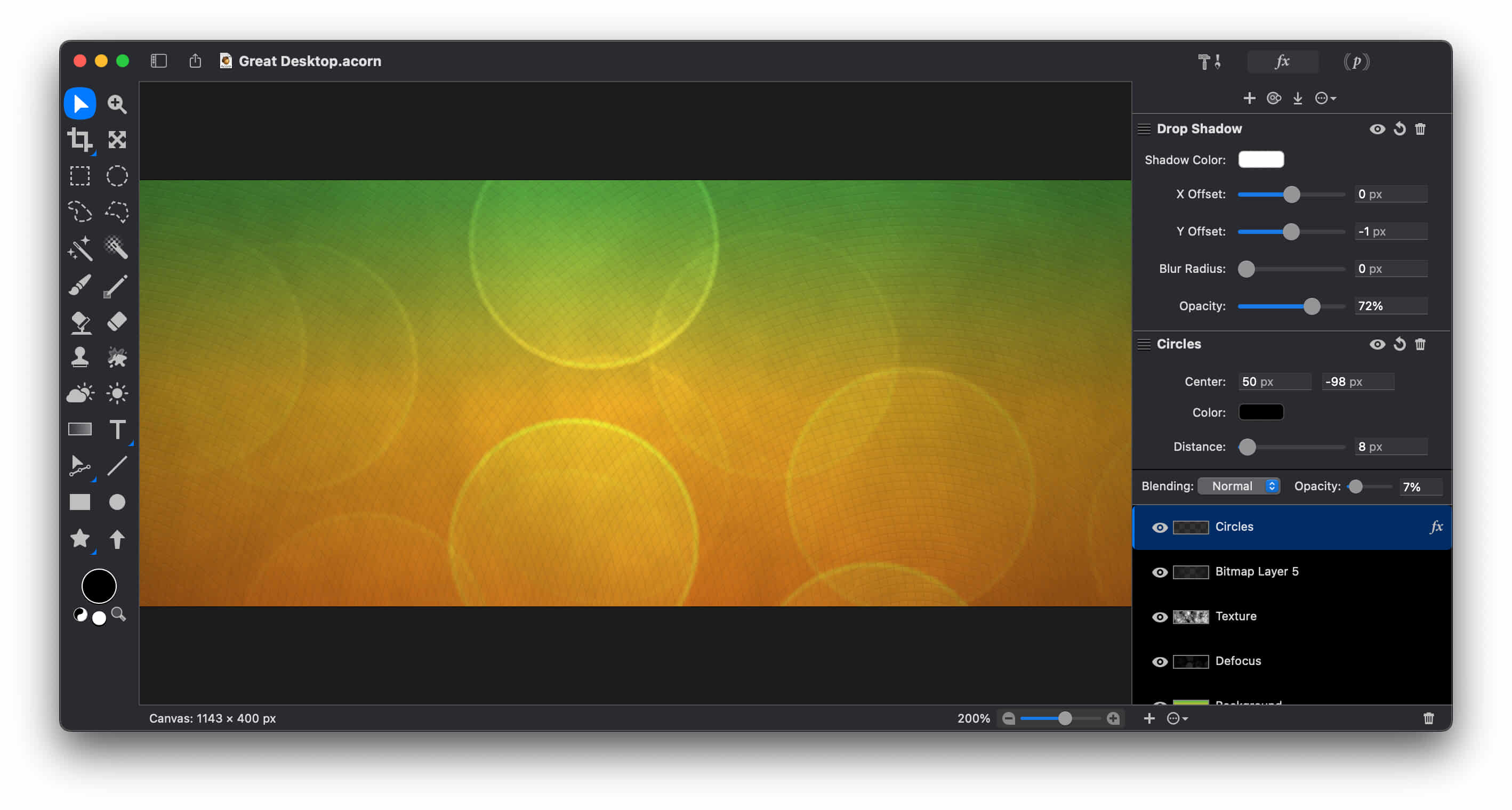
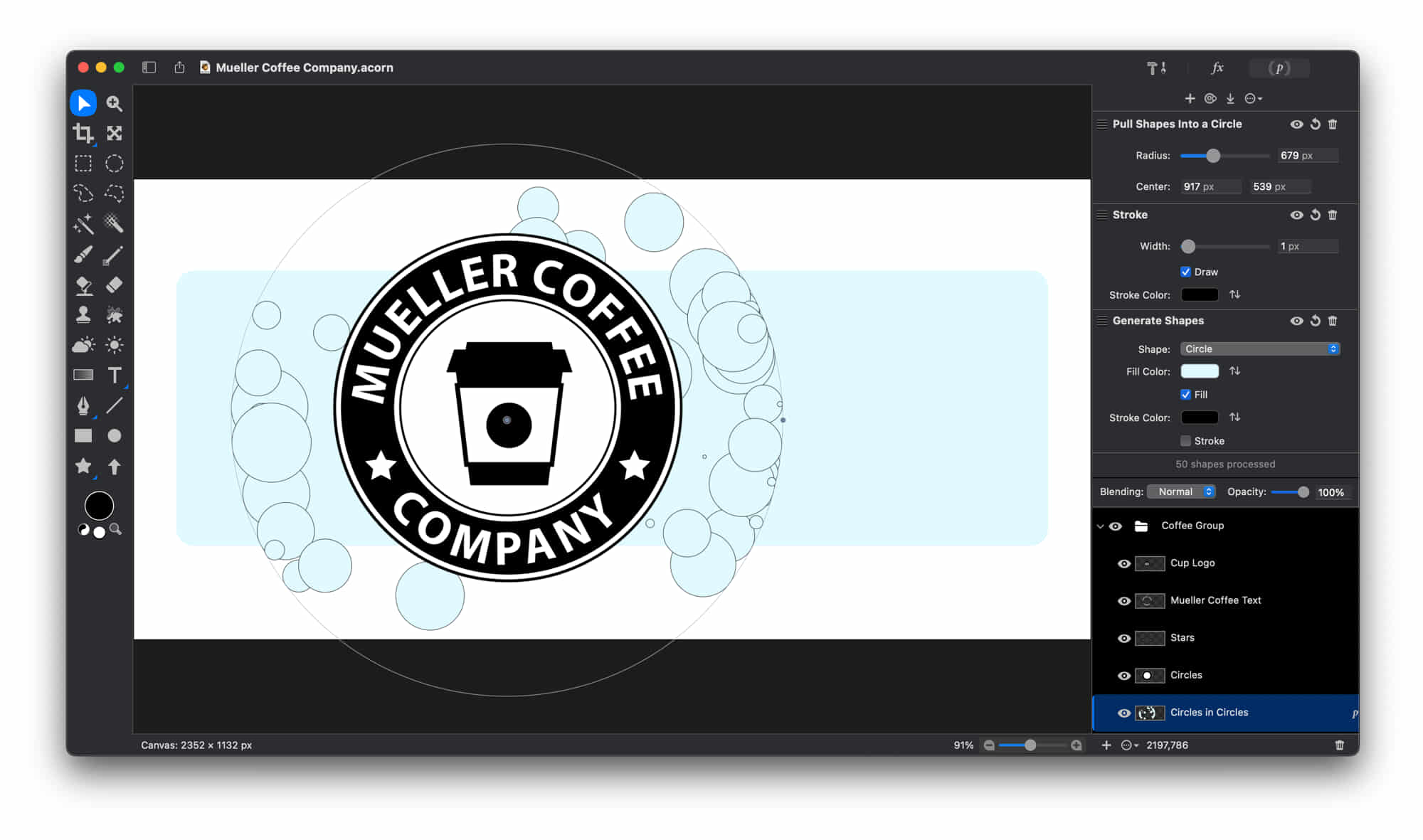
With the power of Acorn's layers and filters, you can create new and original desktop pictures to customize your workspace.
Questions?
Are there differences between the Direct and App Store versions of Acorn?
Yes, there are some small differences. Make sure to check out our larger FAQ for all the gory details.
Does Acorn open up layered Photoshop files?
Yes! Acorn will open up layered 32bit PSD to the best of its ability. The only app that’s going to be 100% compatible with .psd files is the latest version of Adobe’s Photoshop of course.
Does Acorn use a subscription?
Nope! We have a simple philosophy- you buy a thing, you get a thing.
I’m not running macOS 14+, can I still use Acorn?
Here’s the lowdown: Acorn 8 requires macOS 14+. Acorn 7.4.6 requires 10.14+. Acorn 7.4.6 will accept Acorn 8 registration numbers, and you can download it from our legacy page. If you need a version of Acorn prior to 7, email support@flyingmeat.com and let us know your Acorn 8 registration name, number, and what version of Acorn you'd like a license for. We'll then send you a new one that works with an older (and unsupported) version of Acorn.
How do I grab an older version of Acorn?
You can grab previous releases from our Legacy page.
Want to know more?
Make sure to check out our extensive documentation and FAQ, and we’re of course always ready to answer questions at support@flyingmeat.com




|
About Flying Meat Find out who we are, where the name comes from, and what makes us different. Online Store Buy our wonderful photo editor. Support & Contact Lost a serial number, need to report a bug, or just want to ask a question? Forums Chat with other users about Acorn. The Flying Meat Blog News, tips, links. The FM Newsletter Timely emails with tutorials, updates, and more. Acorn on Mastodon More social for this nut. |